Tide Controller
HoloOcean worlds support tidal simulation that can be configured either statically within scenario JSON or dynamically at runtime using client commands.
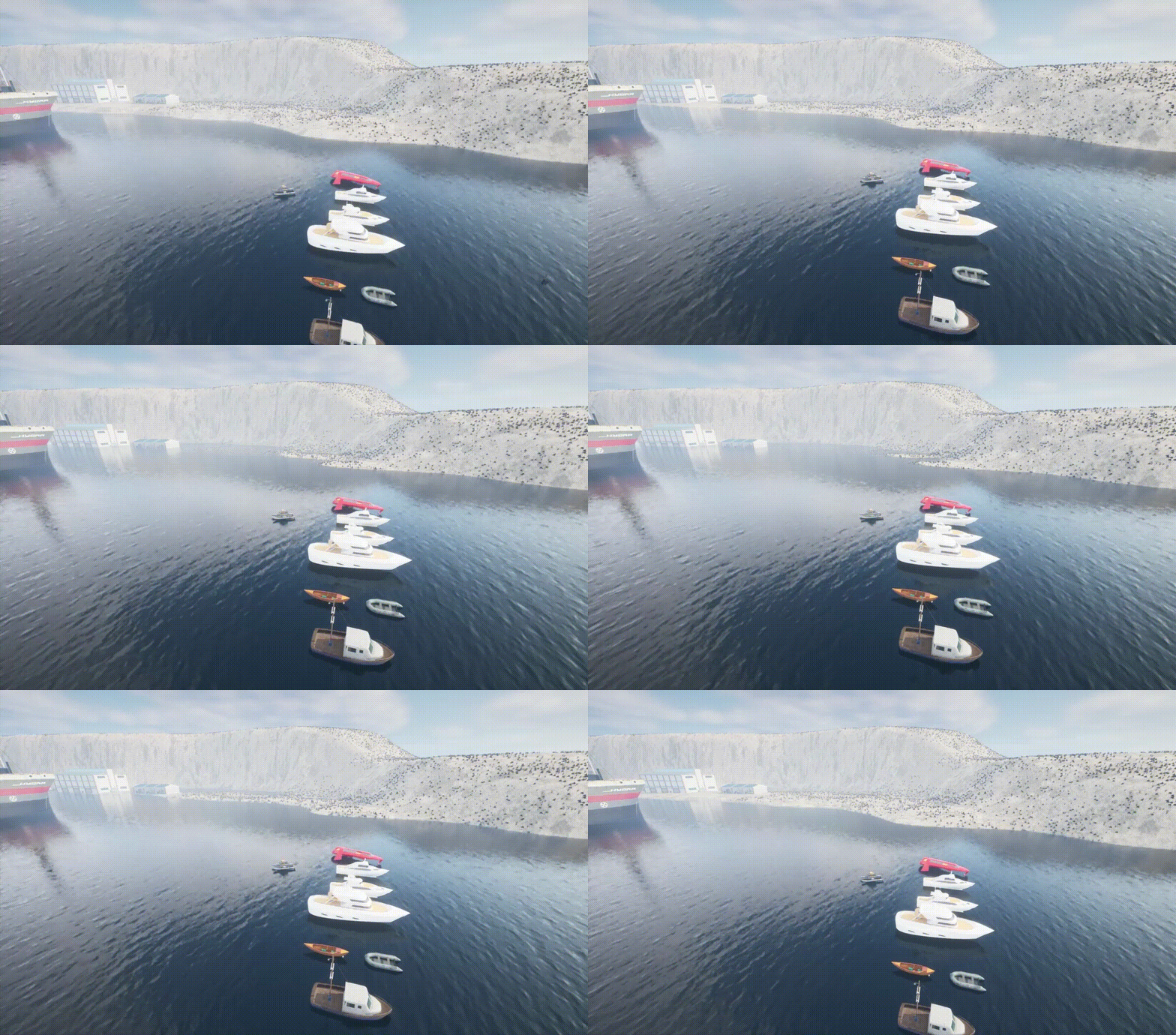
Tide Overview
Tides raise or lower the water level in a HoloOcean world. The water level can be set to a static value or offset, or it can oscillate dynamically in a sinusoidal cycle. The tide can also be changed mid-simulation, either instantaneously or gradually at a maximum rate. Changes to the tide raise or lower the water across the entire world, affecting the water surface, post-processing and all agents.
All tide configurations across HoloOcean are unified under the single tide parameter in scenarios and are specified in meters.
Note
As of HoloOcean 2.4.0, the tide_cycle scenario key, env.tide_cycle, the choice argument of env.tide(),
and the frequency setting are deprecated. They still work but emit a deprecation warning. Use tide, env.tides,
absolute and period instead. Tide values that were previously documented in centimeters are now in meters.
You can:
Set a static water level or relative offset
Define a dynamic sinusoidal tidal oscillation
Dynamically alter the water level or configure tidal cycles mid-simulation
Configuring in a Scenario
All tide configurations in scenario JSON belong under the "tide" key.
Static Water Level or Offset
Sets a static initial water level or applies an offset (in meters).
# Set absolute water level to 2.0 meters
config = { "tide": 2.0 }

# Or specify as a list [height_m, absolute]:
# absolute: 1 = absolute water level, 0 = relative offset
config = { "tide": [2.0, 1] }

# Or specify with explicit dictionary fields:
config = {
   "tide": {
      "height": 2.0,
      "absolute": 1  # 1 = absolute water level, 0 = relative offset
   }
}
Dynamic Tide Cycle
A periodic tide oscillation defined in the scenario. Amplitude is specified in meters. The
period (the time for one full oscillation) is given either in simulation ticks with period
or in seconds of simulation time with period_sec. Use one or the other: giving both raises
an error.
A period in ticks stays fixed in ticks, so the cycle takes longer in real simulation time at a
lower ticks_per_sec. A period in seconds stays fixed in seconds: it is converted with the
current ticks_per_sec, even if that changes during the run.
config = {
   "tide": {
      "active": True,
      "amplitude": 1.5,      # Tidal amplitude in meters (+/- 1.5m)
      "period": 2000,        # Time for one full oscillation, in simulation ticks
   }
}

# The same kind of cycle with the period in seconds
config = {
   "tide": {
      "active": True,
      "amplitude": 1.5,
      "period_sec": 120,     # Time for one full oscillation, in seconds
   }
}

# Example of both static offset and dynamic cycle
config = {
   "tide": {
      "height": 1.0,         # Base height to add cycle amplitude to
      "absolute": 1,         # Whether height is absolute or relative
      "active": True,        # Enable tide cycle
      "amplitude": 1.5,      # Tidal amplitude in meters (+/- 1.5m)
      "period": 2000,        # Time for one full oscillation, in simulation ticks
   }
}
Programmatic Control
Using env.tide()
The env.tide() method allows you to change the water level or configure a cycle dynamically:
Pass a float to adjust or set water level: - Set
absolute=1(orTrue) to set an absolute water level in meters. - Setabsolute=0(orFalse) to apply a relative offset in meters.Pass a dictionary to configure a dynamic cycle, static level and/or
max_rate.Set
instant=Trueto apply the change in one tick regardless ofmax_rate(see Instantaneous Changes).
env = holoocean.make("...")

# Set the water level to 1.0 meter (absolute)
env.tide(1.0) # absolute defaults to 1 (absolute)
env.tide(1.0, absolute=1)

# Lower the water level by 2.0 meters relative to current water level
env.tide(-2.0, absolute=0)

# Configure a dynamic sinusoidal tide cycle
env.tide({
   "active": True,
   "amplitude": 2.5,
   "period": 2000
})
Using env.tides (TideController)
You can also interact directly with the TideController instance using the same structure as env.tide().
All of its methods are listed in the Tide API:
# Set static tide water levels
env.tides.set_tide(1.0, absolute=1)

# Configure dynamic tide cycle parameters
env.tides.set_tide({
   "active": True,
   "amplitude": 2.5,
   "period": 2500
})

# Or configure individual cycle properties
env.tides.set_amplitude(2.0)   # meters
env.tides.set_period(3000)     # ticks
env.tides.set_period_sec(100)  # or seconds; replaces a period set in ticks
env.tides.set_active(True)

# Read the period in either unit
env.tides.period               # ticks
env.tides.period_sec           # seconds
Limiting How Fast the Water Level Changes
By default every tide change takes effect in a single tick. Setting max_rate (in meters per
second) makes the water level move toward each new level gradually instead: a change larger than
max_rate times the tick length is spread over several ticks. This applies to static changes and
to tide cycles alike, and the water surface, post-processing and agents all move together.
# In the scenario
config = {
   "tide": {
      "height": 0.0,
      "max_rate": 0.5,       # Change the water level by at most 0.5 m/s
   }
}

# Or at runtime
env.tides.set_max_rate(0.5)
env.tide(2.0)                 # Rises to 2.0 m over 4 seconds of simulation time
env.tides.set_max_rate(None)  # Remove the limit
If a tide cycle changes the water level faster than max_rate (its peak rate is
2π × amplitude / period, with the period in seconds), a warning is printed, because the cycle
would be clipped.
Instantaneous Changes
Pass instant=True to jump to a new level in one tick even when max_rate is set:
env.tide(2.0, instant=True)
An instantaneous change is treated as a reset of the water. Water simulations that keep
their own state discard their waves and currents and restart calm at the new level. Floating agents feel the change all at once, so a large jump can push them around. The
scenario’s tide setting is always applied instantaneously, since it’s the starting water level.
Environment Resets and Newly Spawned Agents
env.reset() reloads the level, which puts the water back at its default level, and then
reapplies the scenario’s tide setting. Any tide changes made during the run are discarded and a
tide cycle starts again from the beginning of its period. To change the water level without
resetting anything else, use env.tide().
Agents spawned after a tide change, for example with env.add_agent(), start at the current
water level.
Note
For more information on the underlying client command, please refer to TideCommand.