BlueROV2
Description
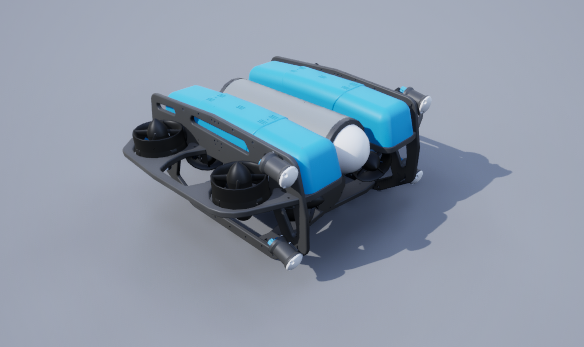
An implementation of the BlueROV2 Heavy vehicle from Blue Robotics.
See the BlueROV2.
Control Schemes
- AUV Thrusters (``0``)
An 8-length floating point vector used to specify the control on each thruster. They begin with the front right vertical thrusters, then goes around counter-clockwise, then repeat the last four with the sideways thrusters.
- PID Controller (``1``)
A 6-length floating point vector of desired position in the global frame and roll, pitch, and yaw. A basic PID controller is implemented to move the vehicle to that position and orientation using the needed forces and torques.
- Custom Dynamics (``2``)
A 6-length floating point vector of linear and angular accelerations in the global frame. This is to be used for implementing custom dynamics. Besides collisions, all other forces and torques (including gravity, buoyancy, and damping) have been disabled in the simulator to allow for a clean slate for custom dynamics.
Sockets
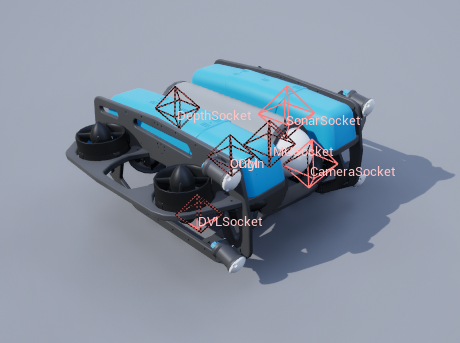
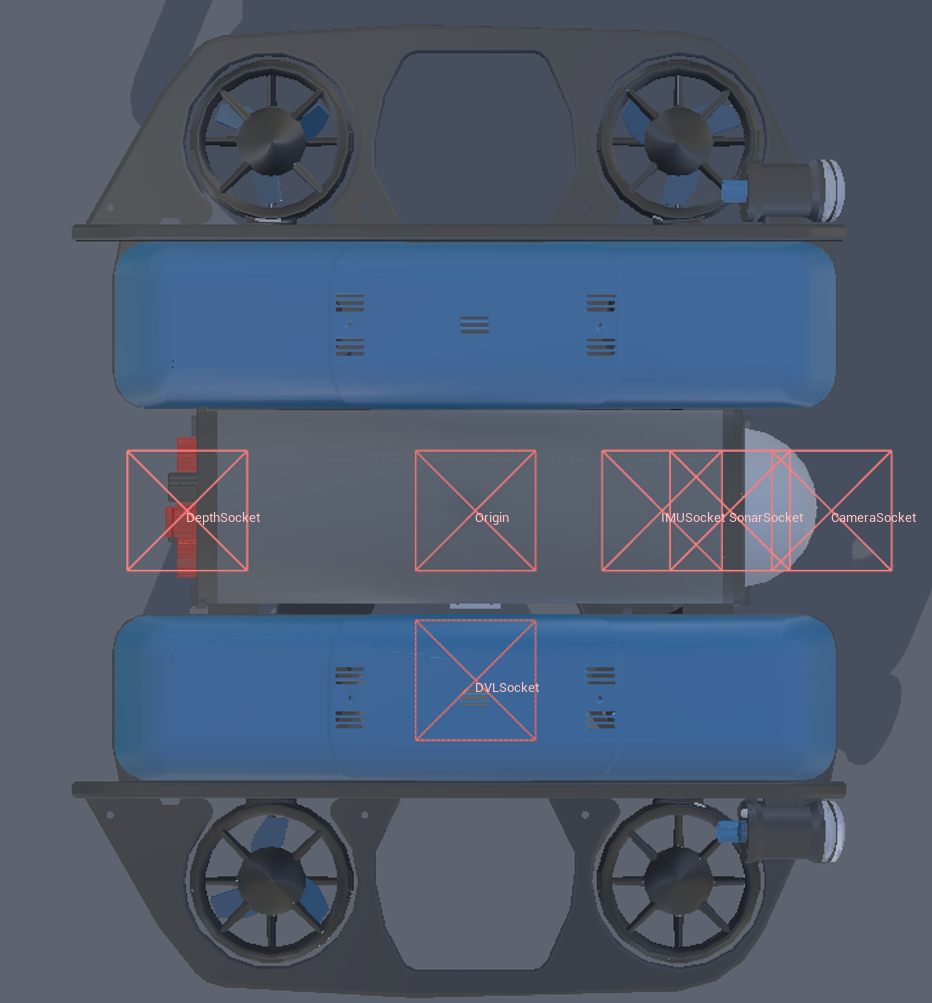
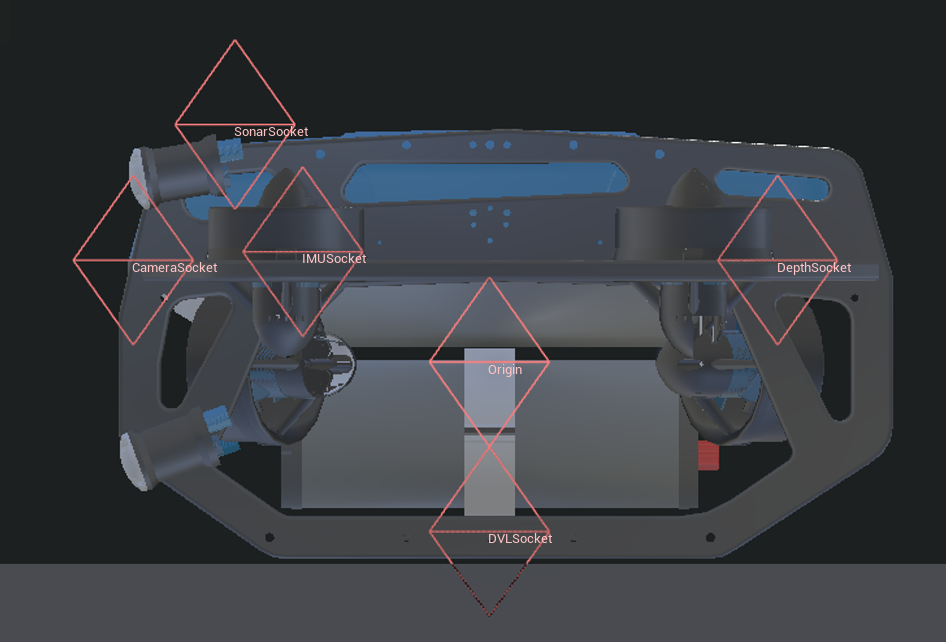
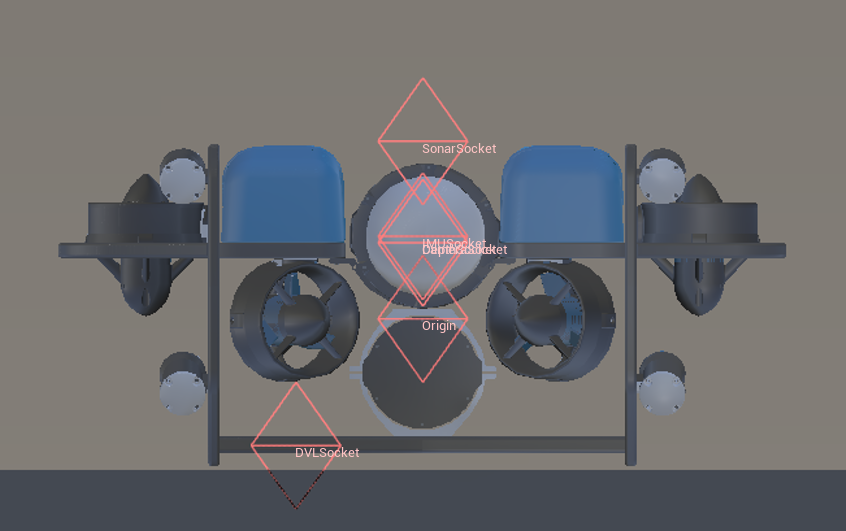
All sockets are oriented in the agent’s body frame (right-handed NWU, with the x-axis pointing forward, the y-axis pointing to the left, and the z-axis pointing upward) unless stated otherwise. See Sensor Placement & Sockets for details.
Socket Definitions
COMCenter of mass.SonarSocketLocation of the sonar sensor.DVLSocketLocation of the DVL.IMUSocketLocation of the IMU. Rotated 180 on x-axis (x points forward, y points right, z points down).DepthSocketLocation of the depth sensor.CameraSocketLocation of the camera.OriginTrue center of the robot.ViewportWhere the robot is viewed from.
Socket Frames
Flashlights
The BlueROV2 comes with four built-in flashlights positioned around the vehicle to provide illumination in various directions.
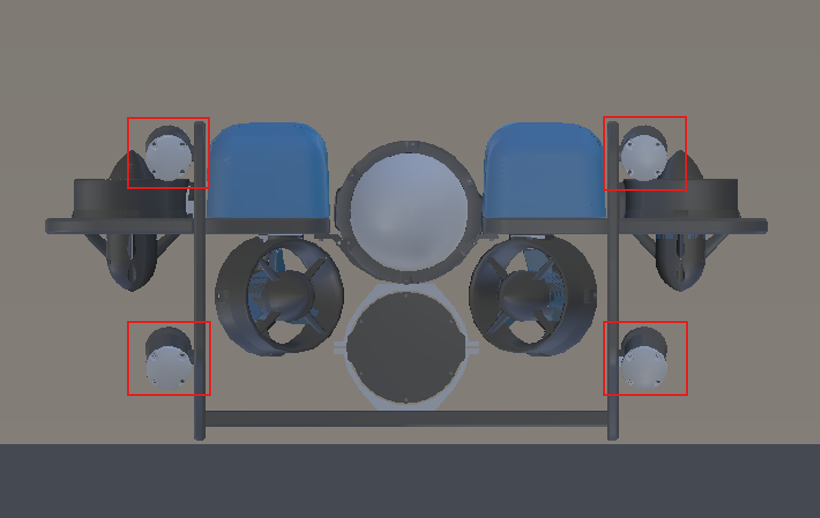
flashlight1: (22, 19, 11)
flashlight2: (22, -19, 11)
flashlight3: (22, 19, -6)
flashlight4: (22, -19, -6)
Please refer to flashlights for information on available control commands.